Sneak Peeks at openSUSE 11.0: Compiz, with Dennis Kasprzyk

1 Star2 Stars3 Stars4 Stars5 Stars (44 votes, average: 4.68 out of 5)
Loading ... Loading ...
Saturday, June 7th, 2008 by Francis Giannaros Digg!

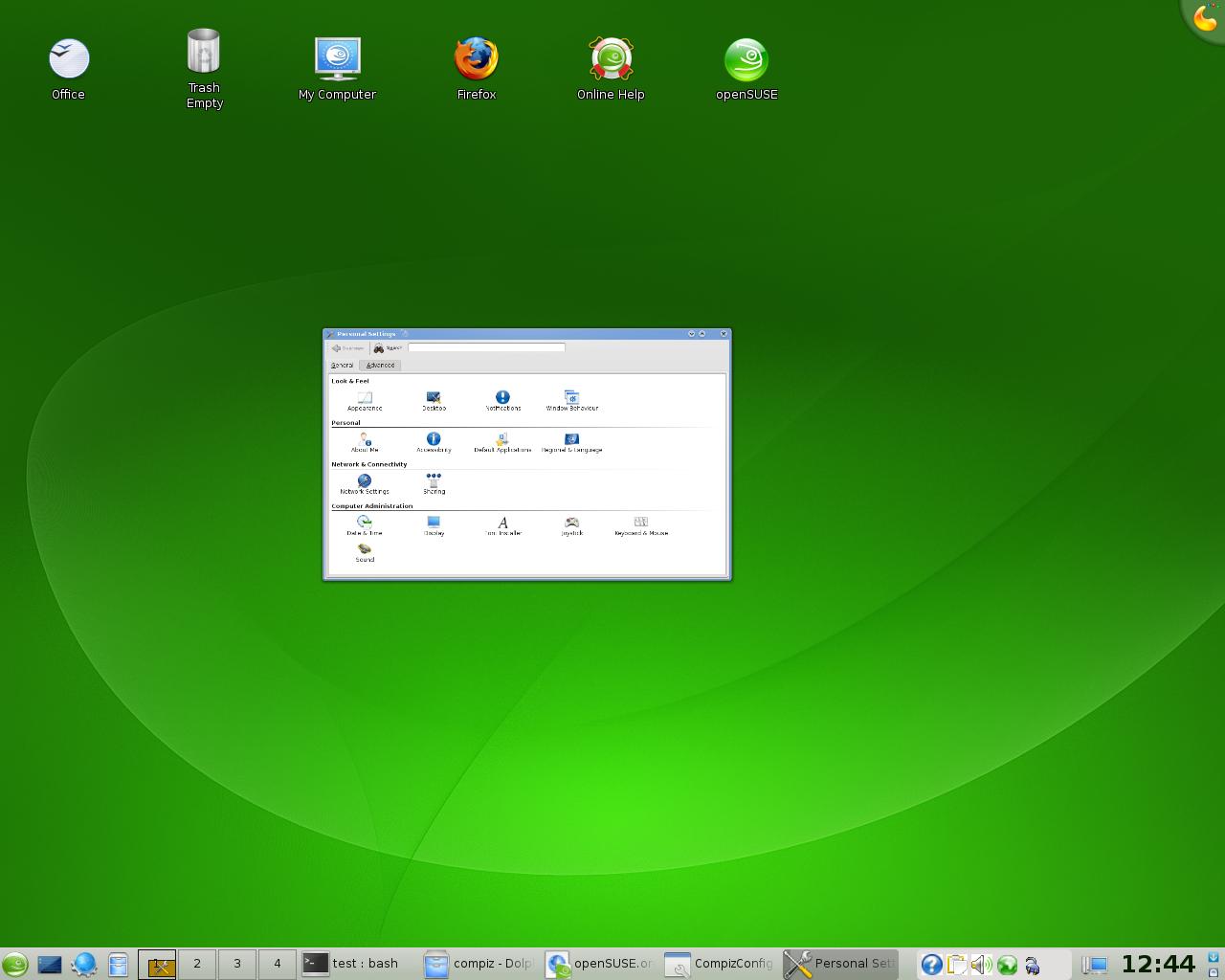
There have been several changes with the Compiz setup in openSUSE 11.0, including both exciting and new features in Compiz Fusion, and extra developments behind-the-scenes which make running and managing Compiz easier. Today we will be taking a look at these, and we’ll be catching up with Dennis ‘onestone’ Kasprzyk, a Compiz Fusion core developer and openSUSE user, to find out more.


Changes in Setup


AIGLX

For openSUSE 11.0, Stefan Dirsch and the rest of the openSUSE Xorg team has worked hard to ensure that AIGLX is enabled by default for all supported hardware. This means that you can run Compiz or other desktop effects such as those in KDE 4 without having to directly enable Xgl or edit xorg.conf manually.

Compiz Fusion by Default

In openSUSE 10.3, Compiz Fusion was available in the official online repository, and the latest version with all the extra Fusion plugins has been available in the openSUSE Build Service. However, the Compiz Fusion project has matured significantly, complementing Compiz with extra plugins, a new settings configuration tool, and it is now installed by default on all openSUSE 11.0 installations.

What’s New


Simple CCSM

Compiz Fusion comes with a simple settings manager which also allows you to enable and disable Compiz in both KDE and GNOME. It can be found as the Desktop Effects application in the main menu. From here you can change general settings and not have to worry about the details. You can choose from a selection of pre-configured profiles: from anything such as minimal effects, to the full-blown “Hollywood’s got Nothing” profile, giving you countless of extra effects and plugins.
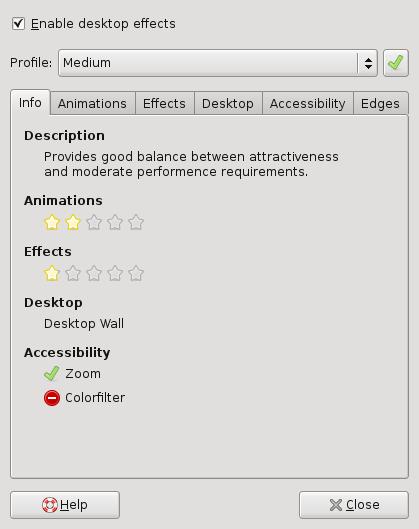
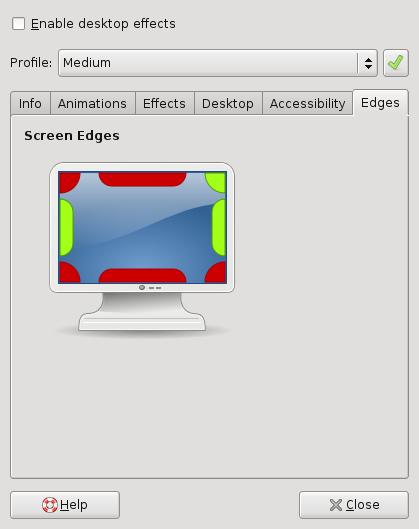
Simple CCSM Simple CCSM 2

CompizConfig Settings Manager (ccsm)

Compiz Fusion now also comes with an in-depth and highly configurable settings manager: CompizConfig Settings Manager (ccsm), which is also available by default in openSUSE 11.0. From here you can change a whole horde of settings so that Compiz behaves precisely as you want, or you can even choose to enable a large selection of extra plugins providing new eye-candy or helpful other additions. Be mindful about the performance impact that this might have on less powerful computers.
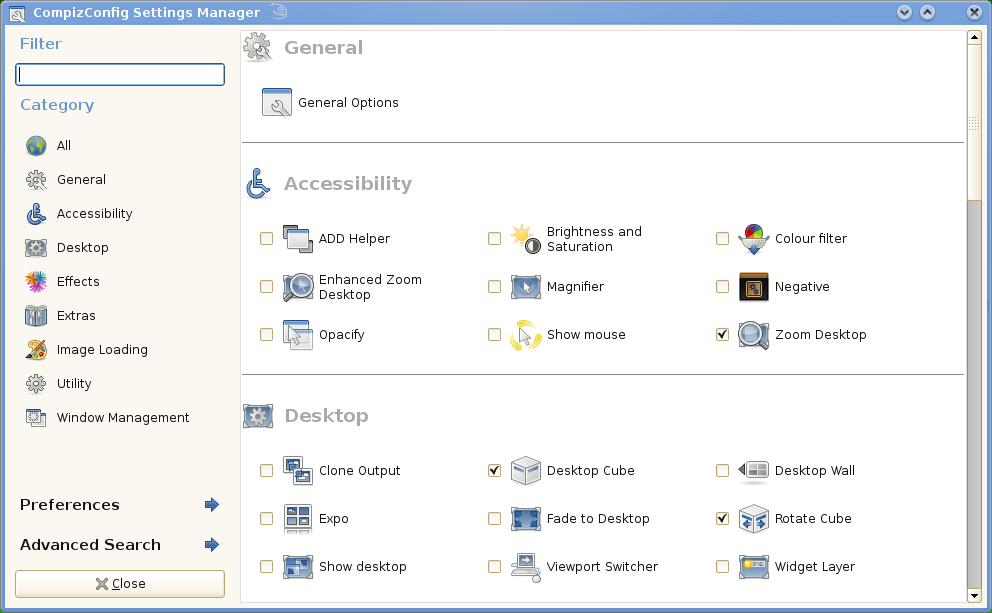
CCSM

New Plugins

As well as all of the previously available features in openSUSE 10.3, openSUSE 11.0 has several additions, many of which dramatically improve the accessibility of the Linux desktop. We will cover just a few of these below:

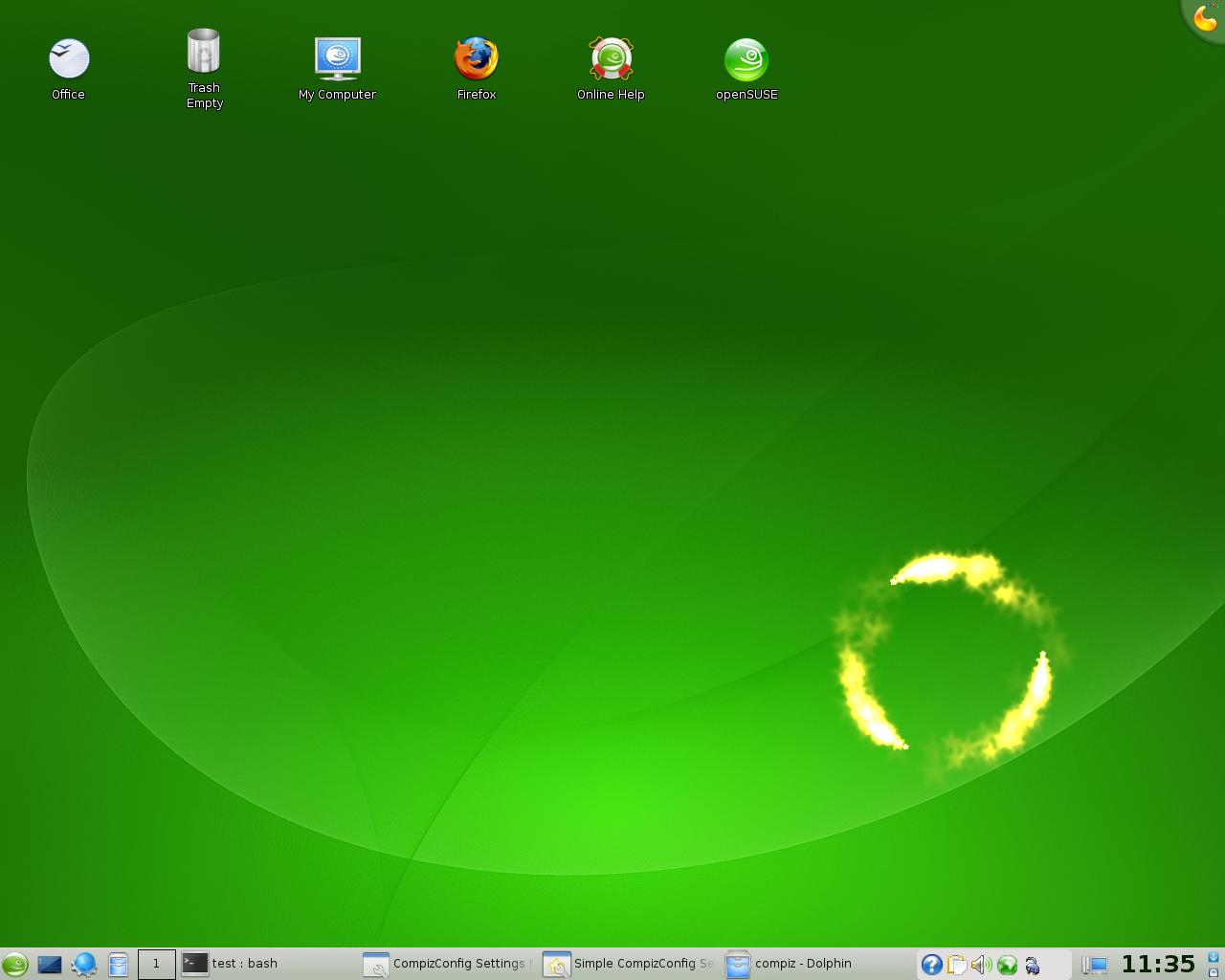
Show Mouse

With this plugin you can find out easily where your mouse is. Just hit a key-combo, and stars will start swirling around the mouse’s location:
mouse

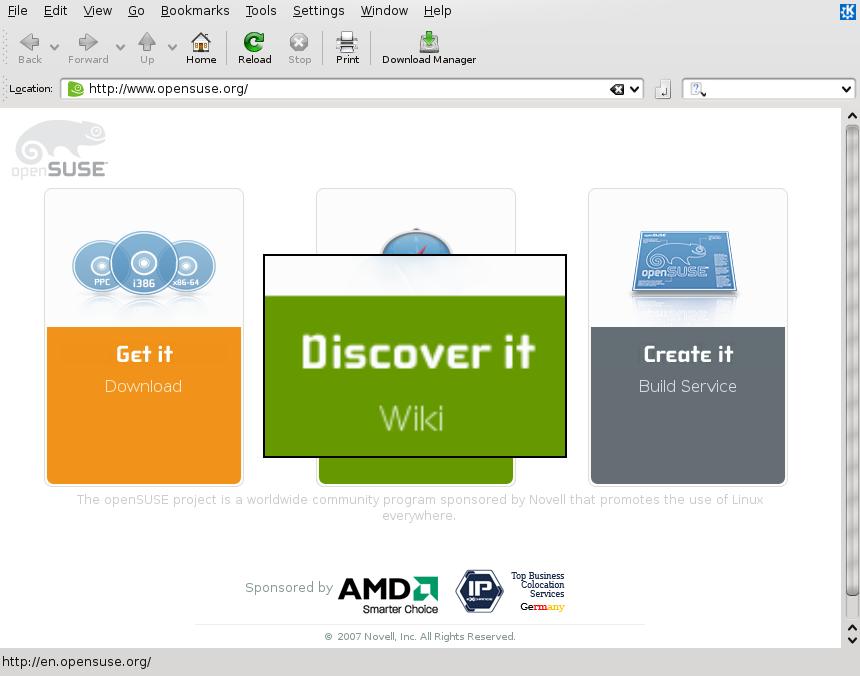
Magnifier: Magnifying Glass

This plugin allows you to zoom a particular area of the screen without having to zoom in on the entire desktop. It is perfect when one particular area is hard to read or view:
Mag

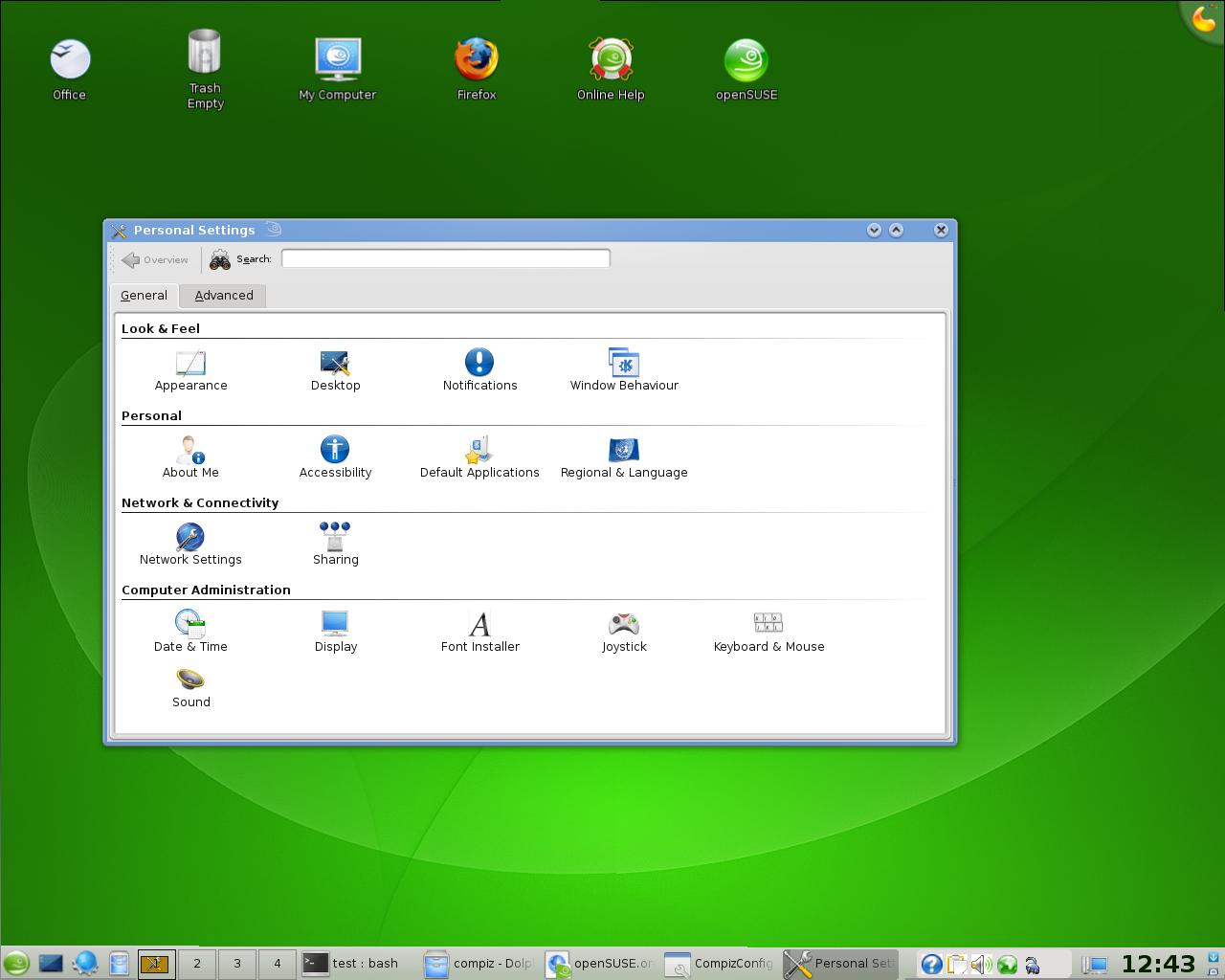
Shelf: Scale Window Up/Down

This plugin allows you to directly scale up or down an entire window (instead of resizing it):
Shelf - Without Scale DownShelf - Window Scale Down

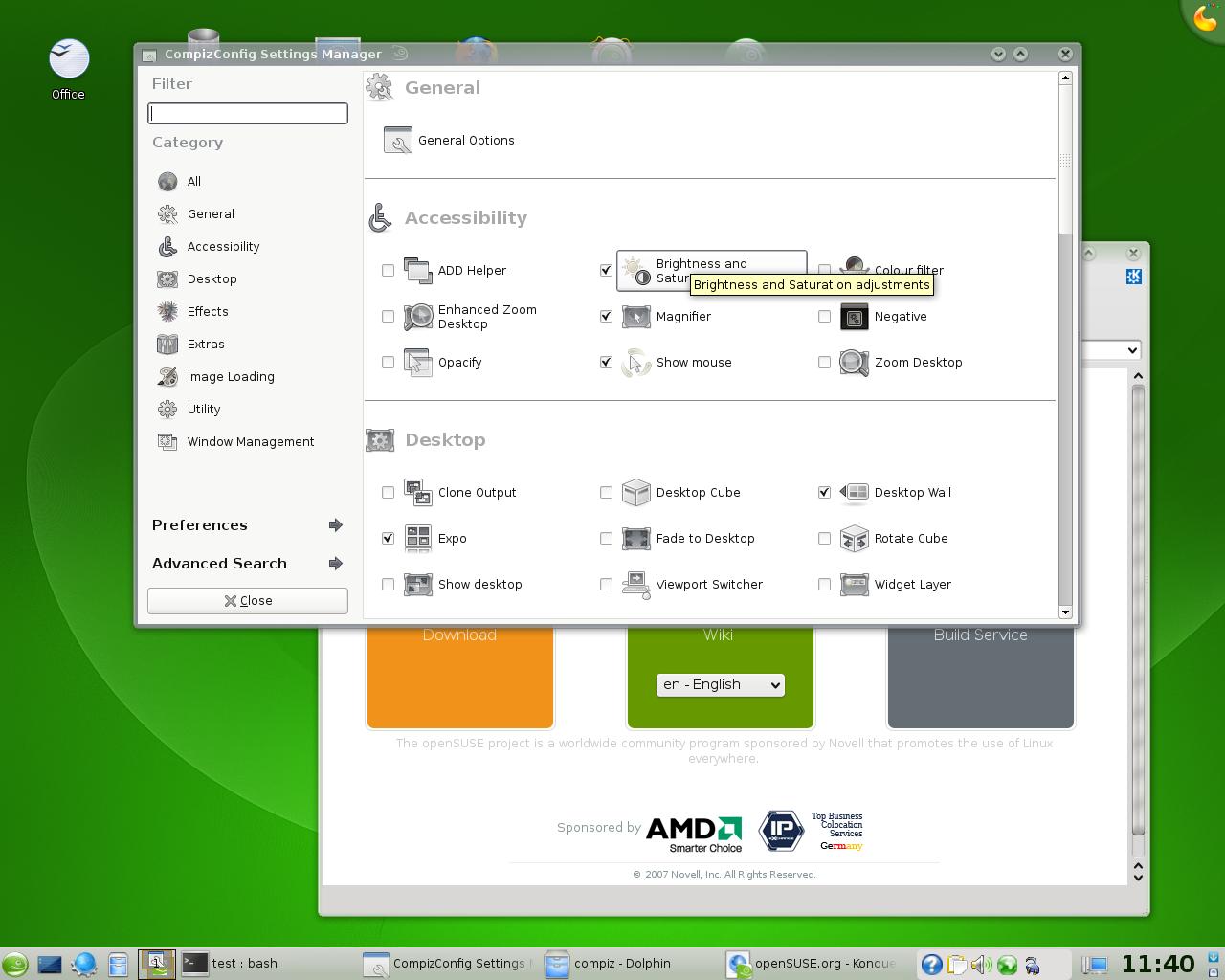
Brightness and Saturation

With this plugin you can adjust the brightness and saturation of any window or the entire screen.
Brightness and Sat

To find out how to use this and all other plugins, simply head over the Compiz Fusion Wiki at wiki.compiz-fusion.org. For trouble-shooting and general information about Compiz Fusion on openSUSE, see the Compiz Fusion wiki page.

Latest Version in the openSUSE Build Service


Thanks to Jigish Gohil, you can always get the latest version of Compiz and Compiz Fusion in the X11:XGL openSUSE Build Service repository. In his home:cyberorg repository you can also find recent snapshots of the development tree, where you can also have direct access to a plethora of extra plugins developed by the Compiz Fusion developers. Here’s a quick preview of some of the things available in the latest version.

You can use 1-Click-Install to get the latest Compiz Fusion from the openSUSE Build Service.

Cube Deformation

In openSUSE 10.3 the cube relfection plugin was available, but now you can also distort the cube in a spherical or cylindrical shape:
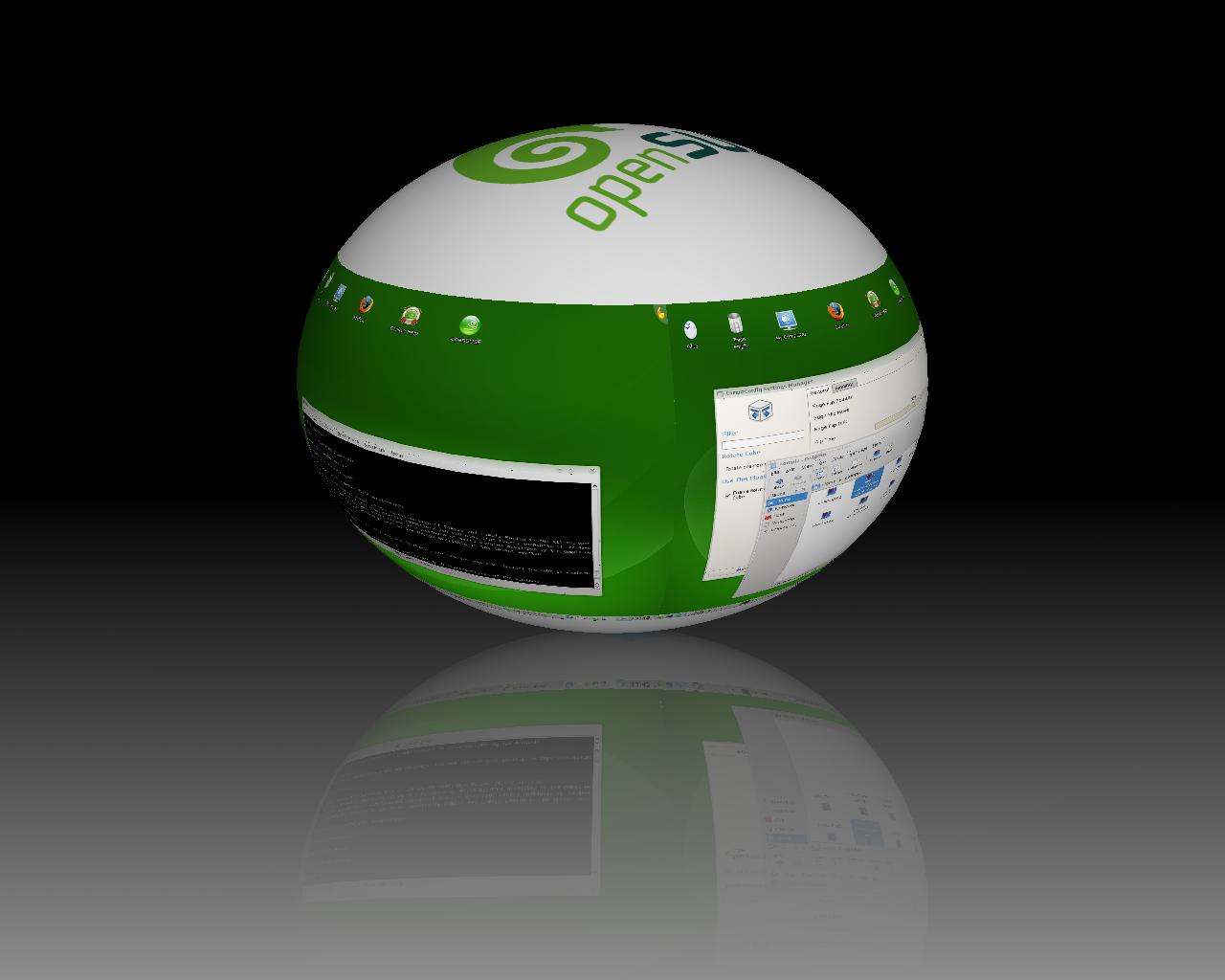
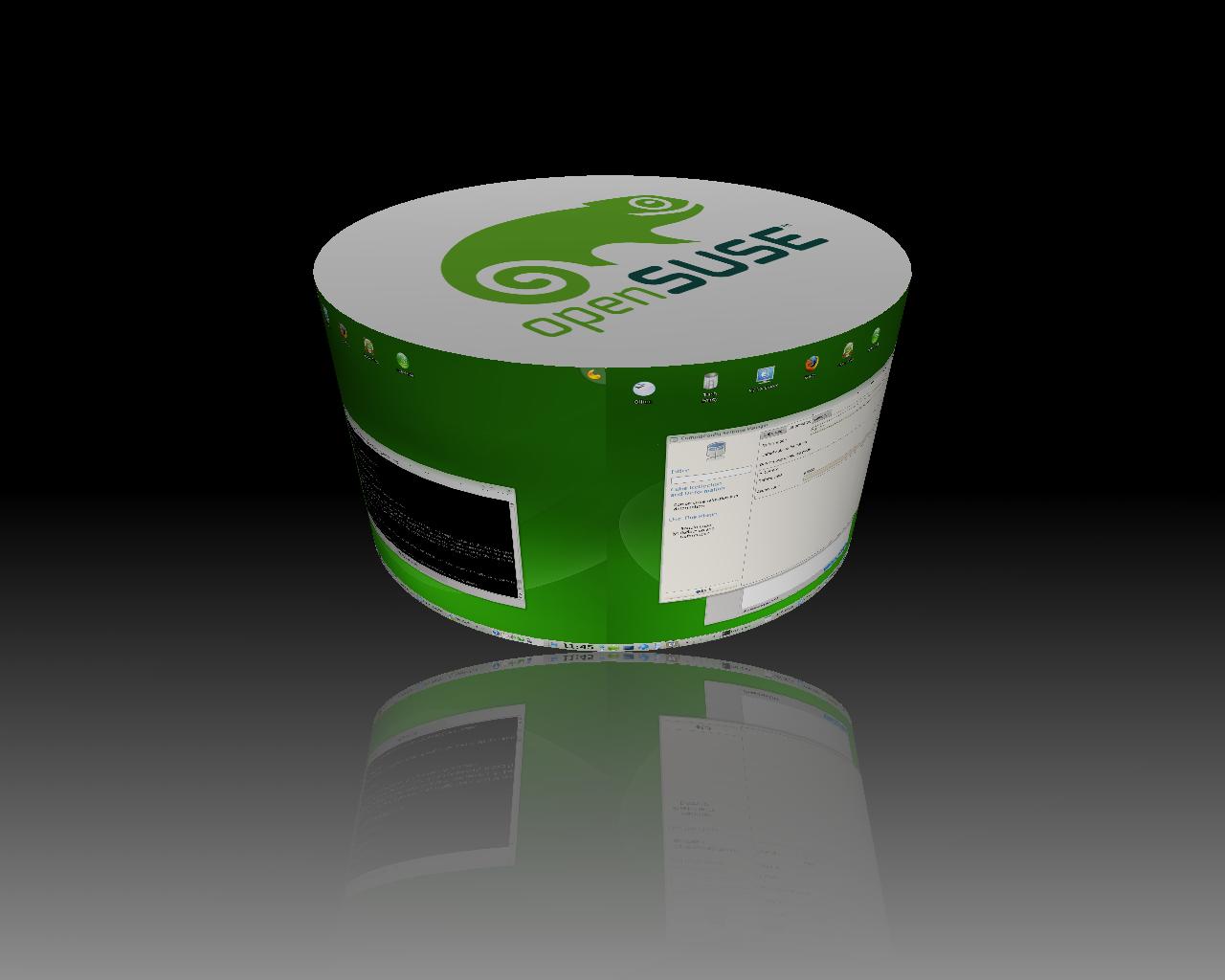
Cube Deformation - SphereCube Deformation - Cylinder

You can also make the cube transparent, and even create a 3D representation of the windows:
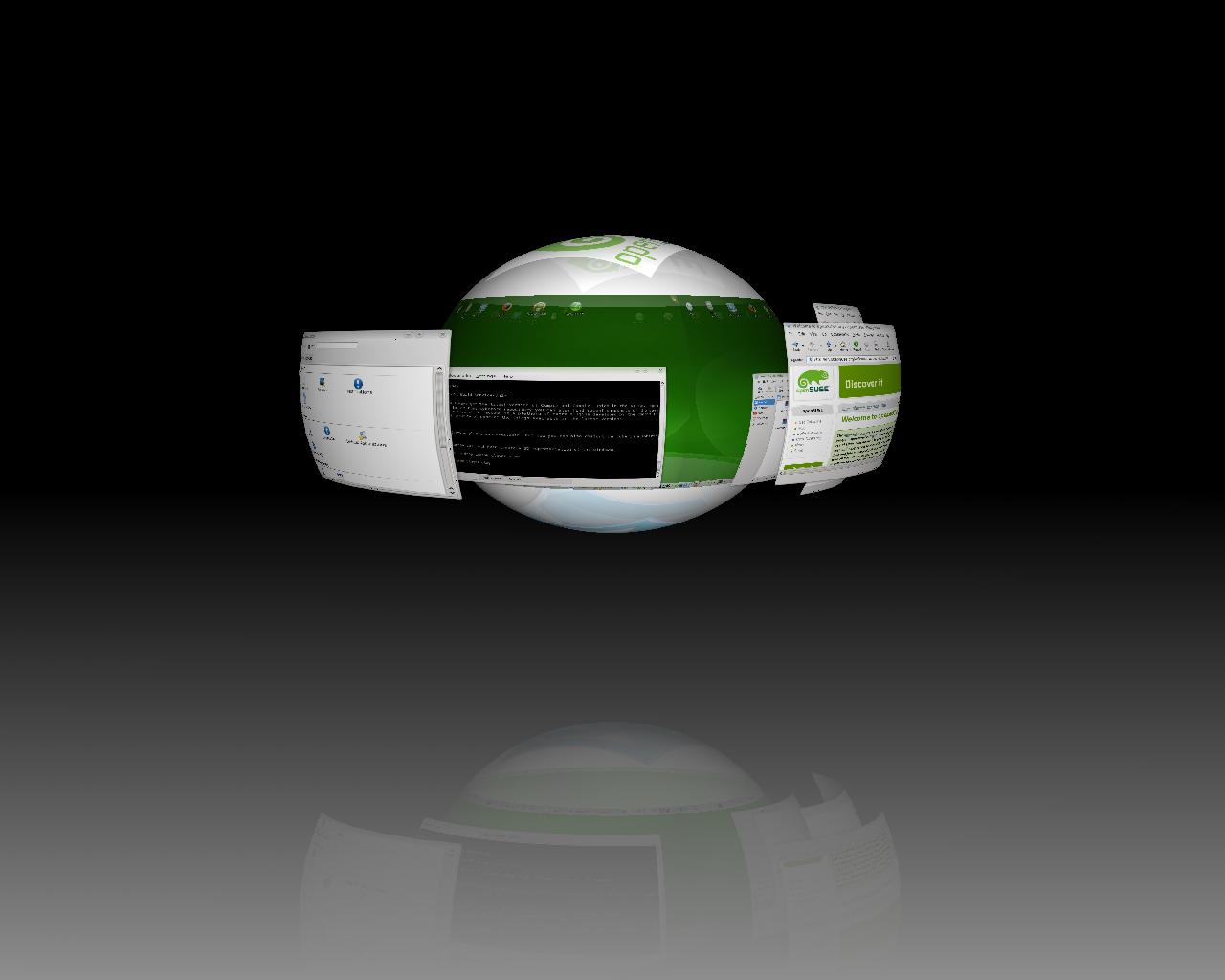
Cube Deformation - Trans 3D

Talk with Dennis Kasprzyk

 
onestone

What have been the main tasks with getting Compiz and Compiz Fusion 0.7.4 out?

After the Compiz and Compiz Fusion 0.6.0 release that included lot of changes, we decided to add only small changes and concentrate more on bugfixing and improving the window manager functionality. This is also the reason why all the 0.7.x releases are very stable even though they are only “development” releases.

On the Compiz core side, we’ve improved the window and session management, the focus stealing prevention and the handling of multiple output devices. I think that Compiz is now the window manager with the best handling of all the various Xrandr multiple output configurations. On the Compiz Fusion side, we’ve added some new plugins, features and fixed a lot of bugs. There’s too much to mention all the changes in detail here, but users can use the advanced CompizConfig Settings Manager ccsm to discover the new plugins and the new features of the existing plugins.

With simple-ccsm we now also provide a configuration tool that is more focused on end-users. It allows users to change the most needed options very easily.

What is openSUSE 11.0 like as a development platform?

There a two things in openSUSE that I really like. The first one is the Build Service. It allows me to get updated versions of a lot of packages without the need to compile them myself. The second one is the ability to directly install openSUSE with all the development packages I need. The package management provides here a very nice and easy functionality to install everything I need. But it’s also much easier to add a new system wide prefix (like /opt/compiz), than in other (debian based) distributions.

The Compiz KDE Window Decoration has really improved the integration with KDE. What other things are in store to improve the feel within KDE?

With the Compiz 0.7.6 release the KDE 4 window decorator should be ready to provide the same functionality in KDE 4.1 that we have seen with the KDE 3 window decorator in the KDE 3.x series. I’m also working on a KDE 4 kconfig backend for the libcompizconfig system. It will provide the same settings integration that we’ve seen in the KDE 3 backend. So that changing of KWin’s settings will also apply to Compiz. The biggest problem here is that the current KDE 4 global hotkey management seams to be a little buggy.

How do you see the relationship of Compiz Fusion and KWin Composite, the KDE4 Desktop effects? Do the developers in these two projects
interact?

It could be better, but it’s better than the relationship to the GNOME developers :-) Compiz gets accepted, instead of simply being ignored with the sentence: “We have our own window manager, and we don’t care about Compiz.” For example, there was a problem with the KDE decoration API, which allows us to provide the KDE 4 window decorator, was removed in KDE 4.0. After some emails with the KWin developer we found a solution so that we have a working decorator for KDE 4.1 again.

What plans does the Compiz Fusion team have for the future?

This is hard to say. We mostly implement and release new ideas directly. Users can read our blog planet to see what is going on and will be included in the next release. I would like to see Compiz also running as pure window manager without compositing. This would also allow to run Compiz on hardware that doesn’t support compositing, or allow users to turn off compositing without the need to switch to a different window manager. We will also have a lot of work after the “object framework” merge, which will change a lot of the Compiz internal structures and the configuration system.


45 Comments »

Comment by Kavalor
2008-06-07 18:39:59

I am really impressed that on my Notebook with an ATI Mobility Radeon 9600 the compiz Effects are working out of the Box.
But there is one thing. When i boot the system and log into KDE4 the system never remembers that i had the Desktop effects enabled. I always have to enable them in the simple-ccsm. Is there a way to include the Desktop effects in the Autostart (without the old workaround)?

Otherwise the integration of compiz is brilliant

Comment by KnurPhT
2008-06-08 18:37:12

Go to: Configure Desktop, Advanced, Session Management and you will be able to choose compiz as a windowmanager as well as a wrapperscript to start compiz

Comment by Justin Freeman
2008-06-21 22:17:00

This is really stupid. To manage Compiz you can use either Desktop Effects or the Compiz Config Settings Manager. But to have Compiz auto-start after each reboot, login/logout you need to go to KDE Configure Desktop and set a totally unrelated option!!! Why the heck doesn’t the Desktop Effects application do it for you? This is NOT very user friendly and renders the Desktop Effects application almost useless. I hope this is fixed in a SUSE 11 update.

Otherwise, SUSE 11 rocks !

(Comments wont nest below this level)
 
 
Comment by yanquen
2008-09-06 02:45:54

ln -s `which fusion-icon` ~.kde4/Autostart/fusion-icon


Comment by Mark
2008-06-07 21:53:02

openSUSE death star!

Comment by superppl
2008-06-08 21:03:08

I wonder if it’ll be able to shoot lasers and stuff. :)


Comment by Josh
2008-06-07 23:15:22

Looks wonderful. Keep up the great work!!

 
Comment by turtlix
2008-06-08 10:14:42

can’t wait openSUSE 11.0 Final Release

 
Comment by Ganesh
2008-06-08 10:28:52

i am using open suse 10.3,its amazing GUI,but compioz fusion doesn.t work with VIA display,it should be noticed by the Suse developers

Comment by some-guy
2008-06-08 23:54:08

VIA doesn’t work with compiz as it doesn’t have support for AIGLX, and you will be extremely lucky to get it working under XGL


Comment by collinm
2008-06-08 13:34:01

does aiglx will be enable for intel card?

 
Comment by Andrew
2008-06-08 15:25:38

I hope Compiz Fusion will be easier install in openSUSE 11 than in 10.3 because it takes me about 1-2 hours to install it every time I install it on another PC or reinstall it on mine. I do the 1-click-install but then I have to go add plugins in Software Management and then add line of codes in xorg.conf. Anyway, the new compiz looks great!

 
Comment by Rene
2008-06-08 19:32:33

God Work @Dennis …. open a bottle wine for the next six years i use suse :)
… hope for the coming kconfig -enterprise version !!!

 
Comment by ed
2008-06-08 20:42:11

This looks really good, some impressive work went on here.

 
Comment by Stefan
2008-06-08 22:39:24

The text says that Compiz “is now installed by default on all openSUSE 11.0 installations.” So I know what I’ll be removing first. KWin 4 does a great job when it comes to compositing, has a clean extensions API and matured window management, so why should I need Compiz?

Comment by apokryphos
2008-06-09 16:41:52

KWin4 is not as mature as a composite window manager, and Compiz has a lot more effects for you to really show off (see the spherical cube for example — trust me, that amazes people). Compiz is also becoming really mature as a general window manager as well — I run it all the time with no problems. Kwin 4 composite effects are really great too though, sure!


Comment by Joban
2008-06-08 23:20:50

Using 11.0 RC1 KDE4, compiz-fusion was running after just a few clicks, and it all is working brilliantly!!

@Stefan: because compiz-fusion does lots of “cool stuff” like the desktop cube and now cube distortion, which, at the moment, KWin4 doesn’t do. Granted, people may not want/need that, so KWin4 will suffice. But for me, compiz-fusion is perfect!

 
Comment by cjk
2008-06-09 08:24:54

If you can’t read the fscking text, you should really lower the resolution instead. That said, Ctrl-Alt-KPPlus and -KPMinus exist since what, 10+ years, to temporarily switch resolutions, thereby providing a magnifying glass effect.

 
Comment by Dich
2008-06-09 15:46:29

would be nice if ATI repository gets updated for 11.0. any chance for that?
not so much fun downloading/installing the generic driver from ati which breaks with every kernel update…

 
Comment by Dich
2008-06-09 20:51:26

Where does one get more new widgets for KDE4 ?
The older superkaramba provided 100 times more nice widgets!

Comment by i-ghost
2008-06-10 21:04:12

The Plasma Widget shell supports SuperKaramba widgets through it’s “Legacy support” feature.


Comment by Arby
2008-06-10 09:29:43

What about wireless support? I’m a newbie and just installed 10.3 on my HP DV6200 laptop. Although it took FOREVER to install, I REALLY like it. I can’t figure out how to used the webcam yet or configure the wireless card, assuming the correct driver was installed. I tried the user forums but these guys assume everyone has the same level of expertise as they do so I’m struggling to understand what or how to configure my INTEL 3945abg wireless card. I’m hoping version 11 does a better job.

 
Comment by Jonathon R.
2008-06-13 12:21:07

The intel 3945 cards work great with openSuSE, and have for some time. I’m on this site right now using one.
In 10.3, I found that using NetworkManager was very troublesome. So I use wpa_supplicant.

email me at jrobiso2@ford.com and I can provide the necessary ifcfg-eth, ifcfg-wlan, and /etc/wpa_supplicant.conf files for you. It’s more than I want to post here.

I have heard that using the iwl driver works better if you use NetworkManager, but I’m a bit of a fuddy-duddy - if it ain’t broke, don’t fix it. The ipw driver has worked for me, so I stick with it.


Comment by Nephilyn lee
2008-06-10 10:08:49

Excellent work keep it up…

 
Comment by Sam Riley
2008-06-11 17:10:32

This looks even better than the BETA! Nice job!

Will there be documentation for installing this version on a Macbook (whatever flavor)? I had 10.3 installed on my Macbook, but took it off in preperation for this version. the instructions for installing SuSE on a MAC are long and quite difficult (for me anyway). I would be willing to help document this if needed, but I am not an expert by any form. I can volunteer to test though. Anyway, are there any ideas on this?

Peace

 
Comment by Ray Morgan
2008-06-11 17:49:03

OpenSuSE 11 ROCKS!! (RC1) Had to download the Compiz packages separately. Downloaded the ATI drivers and at works!!
Looks like Compiz is finally getting ready for prime time.

 
Comment by Marcel
2008-06-11 21:27:29

I hope my little machine runs.
W/ intel video card :D

 
Comment by 5942marine
2008-06-11 21:50:20

Getting pretty stoked.

Anyone know of a hardware comatibility list, wondering if desktop effect will work with my ati radeon x1950gt?

 
Comment by Prabhakaran
2008-06-12 12:26:29

openSUSE Really Rocks…… . ITs looking amazimg. Waiting for the Release

 
Comment by Eldar
2008-06-13 10:13:19

When my sister have seen Compiz Fusion she talk “I also want Linux” ;-)

 
Comment by Mikki
2008-06-14 14:53:07

Compiz looks great… however all desktop effect had problems after resuming from suspend/hibernation. Does anybody tried doing it? Does it work well?

Comment by Mikki
2008-06-14 15:01:08

Comment section of the news website is not the best place to get support! :-) See http://help.opensuse.org for the different communication methods (including IRC, forums).


Comment by Tom
2008-06-14 17:18:53

This may be the distro that tears me away from Ubuntu and GNOME to openSUSE (again!) and KDE4……..

Comment by Lars
2008-06-14 22:25:58

Yes, the 19th Ubuntu goes out, and OpenSUSE in yet again!


Comment by DLynn
2008-06-15 17:00:43

If linux make everything done with Double-click,then ,linux win.

 
Comment by jawwad
2008-06-16 05:20:46

i used suse its great

i hope 11.0 will rock
tnx so much for ur great work

 
Comment by Vladimir Atanasov
2008-06-17 05:23:06

Guys i think that the developers have made wonders with this OS. Thank you guys. I am expecting the 19th with no patience.

 
Comment by Aghogoly
2008-06-17 20:16:54

I think this is the result of collaborative hard work.
Hope that we collaborate to make the best possible world for all the human beings EQULLY.

 
Comment by Andrew Tjecklowsky
2008-06-18 19:32:46

Looks great. Hope it will be easy to setup dual monitor on my Lenovo ThinkPad T61p, which currently (10.3) does not work… not even without desktop effects enabled.

 
Comment by gurzov
2008-06-18 20:44:57

does aiglx will be enable for ATI radeon X1050 card?

 
Comment by Lamnk
2008-06-24 17:16:46

Hi, just upgraded from 10.3 to 11. When I enabled Desktop Effect, the desktop freezed and i must restart. The booting process went fine until KDE was loaded and it just stuck at a black screen and a moving cursor. Anyone has an idea how to fix it ?

Comment by apokryphos
2008-06-24 17:58:17

Use one of http://help.opensuse.org for support.


Comment by Mimoo
2008-06-25 02:42:28

WOW! i gave up Mandriva for OpenSuse 11, keep up the great work, it is really wonderful what you have presented… good bye all OS, time for OpenAppolo 11 :)

 
Comment by windofkeltia
2008-08-01 15:15:55

Looking to make a quick entry decision: is Compiz a good idea for dual-head or not? I’ve always used gnome, but would gladly switch if it will just work on my new 11.0 installation I’m planning later today–mostly for the eye candy, I guess.

 
Name
Email for notification (will not be published)
Website (optional)
Spam protection: Sum of three + 7 ?

Your Comment (smaller size | larger size)
You may use <a href="" title=""> <abbr title=""> <acronym title=""> <b> <blockquote cite=""> <cite> <code> <del datetime=""> <em> <i> <q cite=""> <strike> <strong> in your comment.