Announcing openSUSE 11.0 GM
Thursday, June 19th, 2008 by Joe BrockmeierThe openSUSE Project is proud to announce the release of openSUSE 11.0 — everything you need to get started with Linux on the desktop and on the server. Promoting the use of Linux everywhere, the openSUSE Project provides free, easy access to the world’s most usable Linux distribution, openSUSE.
The 11.0 release of openSUSE includes more than 200 new features specific to openSUSE, a redesigned installer that makes openSUSE even easier to install, faster package management thanks to major updates in the ZYpp stack, and KDE 4, GNOME 2.22, Compiz Fusion, and much more.
On the Desktop
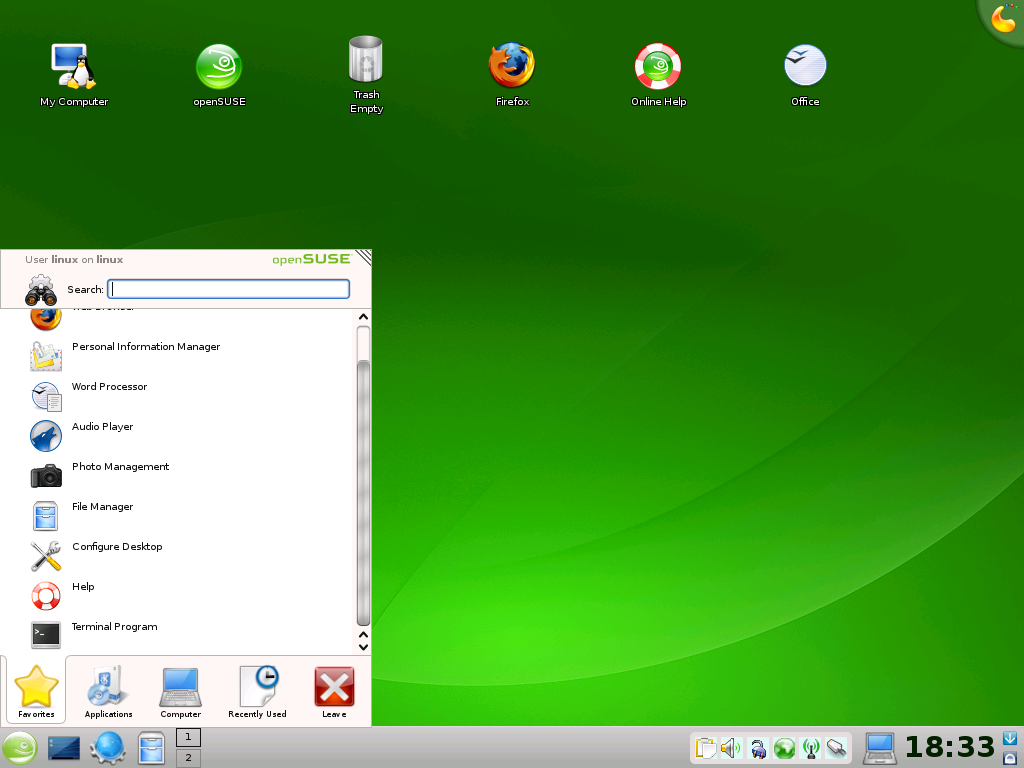
Whether you use GNOME or KDE, the openSUSE 11.0 desktop is a beautiful experience. Users have the choice of GNOME 2.22, KDE 4, KDE 3.5, Xfce, and more! See the screenshot page for a in-depth look at the openSUSE desktop.
GNOME 2.22
GNOME users will find a lot to like in openSUSE 11.0. openSUSE’s GNOME is very close to upstream GNOME, because Novell and openSUSE want to do as much work as possible in the upstream release. However, we do modify GNOME’s artwork to provide a unified look and feel for the distro. The default GNOME configuration, such as panel layout, is slightly different than “stock” GNOME, and the openSUSE GNOME team backports a number of bug fixes into our GNOME release to ensure stability and the best possible GNOME experience.
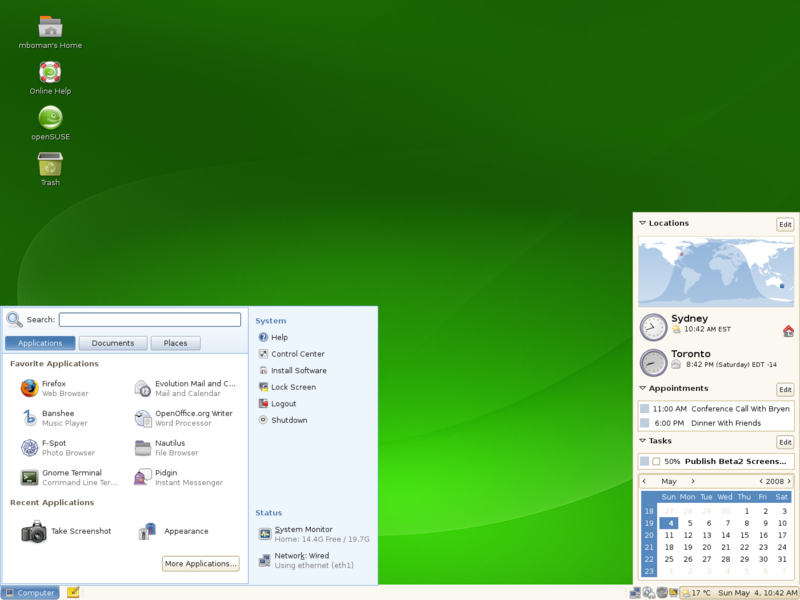
GNOME 2.22 in openSUSE 11.0 includes the GNOME Virtual File System (GVFS), with better support for networked file systems, PulseAudio for better sound management, improvements in Evolution and Tomboy, and much more!
KDE 4.0
openSUSE 11.0 is the first openSUSE release to include a stable release of KDE 4.0. This release includes sweeping changes in the KDE desktop, and represents the next generation of KDE. This release includes a new desktop shell, called Plasma, a new look and feel (called Oxygen), and many interface and usability improvements.
KControl has been replaced with Systemsettings, which makes system configuration much easier. KDE’s window manager, KWin, now supports 3-D desktop effects.
KDE 4.0 doesn’t include KDEPIM applications, so the openSUSE team has included beta versions of the KDEPIM suite (KMail, KOrganizer, Akregator, etc.) from the KDE 4.1 branch that’s in development and scheduled to be released in July and for online update.
Note that KDE 3.5 is still available on the openSUSE DVD for KDE users who aren’t quite ready to make the leap to KDE 4.
Compiz Fusion
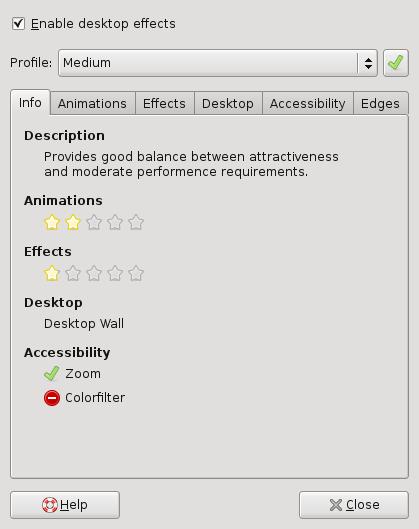
The openSUSE desktop is not only a green glorious sight to behold, it’s also available in 3-D! Compiz Fusion is now the default in openSUSE 11.0. You’ll find a slew of interesting Compiz plugins, as well as easier configuration with Simple CompizConfig Settings Manager (CCSM) and the more comprehensive CompizConfig Settings Manager that allows detailed configuration of your Compiz setup. See the Sneak Peek for a detailed look at Compiz Fusion on openSUSE 11.0.

![]()
![]()
Firefox 3.0
Firefox is one of the most popular open source applications on the planet, and the openSUSE desktop just wouldn’t be complete without Mozilla Firefox. The 3.0 release has a number of new features and improvements that will make browsing the Web on openSUSE convenient and safe, including better site identification features, simplified add-on installation and management, detection of “phishing” sites, the ability to save tabs on exit, better download manager, and a new page zoom feature that lets you zoom text or the entire page.
Note that openSUSE 11.0 ships with Firefox 3.0 beta 5, and updates to the final 3.0 release will be available through online update.

Banshee 1.0
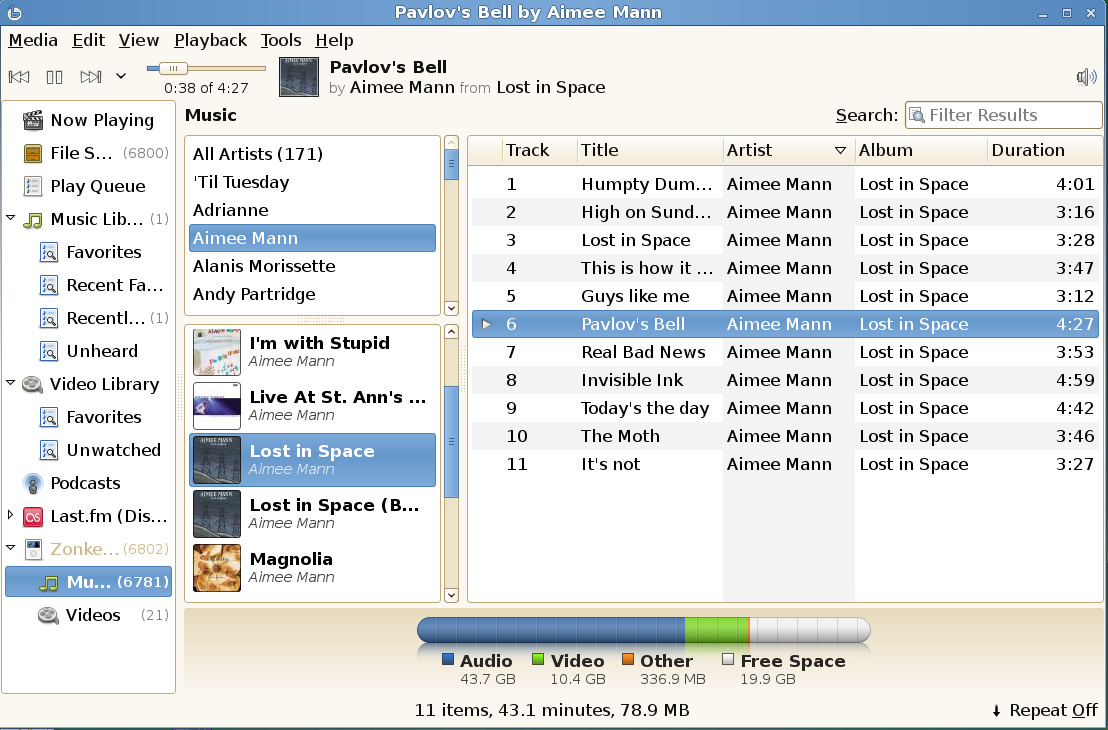
openSUSE 11.0 includes Banshee 1.0. The Banshee media player has been re-written to improve performance and includes many new features, including video playback, better “shuffle” playback, support for iPods, MTP devices, and mass storage player devices, and support for podcasts and better Last.fm integration.
OpenOffice.org 2.4
You can work hard and play hard with openSUSE. If you need a high-quality office suite that’s Microsoft Office compatible, look no further than Novell’s OpenOffice.org 2.4. This release includes import support for OpenXML, 3-D transitions in Impress, SVG import support, improved performance over standard OpenOffice.org, and better Excel support and VBA macro support.
NetworkManager 0.7
NetworkManager has been vastly improved since 10.3, and now includes support for multiple network interfaces and UTMS and EV-DO cards.
Under the Hood
- Linux kernel 2.6.25
- glibc 2.8
- GCC 4.3
Media and Download
openSUSE is now available for immediate download. The openSUSE 11.0 release brings several new options for installation media, as well as familiar choices:
- openSUSE 11.0 DVD 32-bit
- openSUSE 11.0 DVD 64-bit
- openSUSE 11.0 KDE 4 32-bit Live CD
- openSUSE 11.0 GNOME 32-bit Live CD
- openSUSE 11.0 KDE 4 64-bit Live CD
- openSUSE 11.0 GNOME 64-bit Live CD
You can download openSUSE 11.0 via HTTP, FTP, BitTorrent, and Metalink from software.openSUSE.org.
You can also purchase a retail box with openSUSE 11.0 that includes 90-day installation support, physical media, and a printed Getting Started guide.
Communicate
We want to hear from you! The openSUSE Project has many channels of communication:
- Official openSUSE Forums: forums.opensuse.org.
- Mailing Lists: The openSUSE mailing lists.
- IRC: #opensuse on irc.freenode.net and and other channels.
- Jabber, Usenet, and more.
To keep up to date with openSUSE, be sure to keep an eye on openSUSE News and watch Planet SUSE for blog posts from the openSUSE community.
Want to help the openSUSE Project? To get involved with openSUSE see the How to Participate page on the openSUSE wiki. We can use lots of different skills to help the project, so feel free to jump in!
All of the contributors who have worked on openSUSE deserve a huge thank you. Without your hard work, this release would not have been possible. openSUSE 11.0 is the best openSUSE release yet, and will help promote the use of Linux everywhere! Now, get openSUSE 11.0 and have a lot of fun!


(198 votes, average: 4.4 out of 5)


Congratulatiosn friends!
I thinks that this is the best version of OpenSuse ever seen.
My best regards
Congratulations to the entire openSUSE Project! It;s been a lot of fun working with all of you this past year, and welcome to openSUSE 11.0 everybody!
Great! Thank you very much for the great work you people are doing. I am downloading the litle cd for network installation to install it later today. I love opensuse. Greetings from The Netherlands
Really good news!
Thanks to the whole team of OpenSUSE!
Well done everyone!
Congrats to the opensuse team on what appears to be a great release, it will be running on my laptop before long.
Примите мои поздравления и огромное СПАСИБО за Ваш труд!!!
Congratulations! Thank you!
Having monitored 11.0 progress since the early betas, I’ve got to say - fantastic job! Congrats to everybody involved on the best release to date of the best distro and thank you, thank you, thank you guys for making this happen!
Aliluya! I waited this event more than all!!!
Thanks to every team member and to the whole team of OpenSUSE!!! [img]http://files.myopera.com/Creat0R/Opera_AC/Icons/up_cool.gif[/img]
An openSUSE user since “SuSE 9.0″
I still remembered that I downloaded the mini “boot.iso” to install SuSE via network for 6 hours LoL
And after that I enjoyed my Linux life with SUSE LINUX
Now it’sname has been changed to “openSUSE”
But it’s still the green desktop that I feel familiar with……
These years are the hardest time for openSUSE developers
the rise of Ubuntu,the Novell-M$ Pact etc.
Yet you all still did a great job to release such a stable and powerful distro
Hope you can continue your excellent work in the future
Congratulations and long live SUSE!
Yay! openSuSE 11 is now ready & downloading! Good job & thanks for also including KDE 3.5.x! Congtratz from Canada!
congratulations and a big hug !
thumbs up
I forgot to add… LONG LIVE FREE AND OPEN SOFTWARES!
yes great f*ck microsoft
Congratulations!!
Well Done team, it is an outstanding job !! My parents have been waiting for GA release so they now ditch MS Vista.
It will be a Remaster with firefox 3.0 final?
hi…
No…It will be avaible as an online update soon…
regards,
Luiz
Большое спасибо!
Cool, this is great, respect to all
¡Gracias, amigos!
Downloading from the Great Tenochtitlán (a.k.a. “México”).
I think is the best distro ever. However, the artwork is too green, too bright. That’s the only thing I don’t like.
Well, the KDE4 is not too good either. It has lost a lot of options for costumization. It seems to be a “simplification” of KDE3, not an improvement.
¡Nos olemos luego!
Smell you later!
I agree with you pertaining to the artwork and especially the login screen. The green would be better if it was somewhat darker and not soo “green”. I hope that some creative people out there will be kind enough to make a nice theme for us.
As for KDE 4.0.x, it’s lacking a lot of features that are already being integrated in 4.1 Beta 1. The first thing I did after installing openSuse 11 was to add the KDE 4.1 repository and installed the current development version, which I find to be very stable but don’t do it if you are not fond of experimenting and if you do don’t turn on Nepomuk, which will make you system crawl like a snail
I like green, it’s my favorite color!
Opensuse’s green and bright colours: that’s why I like openSUSE, and also that’s why I like Windows XP too, they use a lot of bright colours and also a lot of white. Looking at a dark or grey screen is something that takes away my “appetite for work”. As for the KDE4 part: I agree with you, KDE3 had a lot more options which I really miss from KDE4. Hope that will change in the future with newer releases.
But anyway, thanks to the entire openSUSE team for making such a great distro!
I like window’s Bluescreen very much!
Поздравляю всех с релизом, огромное спасибо разработчикам, отличная ОС.
Here i go again…
I used suse from (6.3) for a couple of years, left it and now, thanks to the awesome distro you’ve managed to assemble (i tested RC1) i’m back !!!
And since it’s always good to return home…
Thanks !!!!
Дякую Вам за роботу, яку ви зробили!!!!
I like SuSE, like openSuSE, and I can start my work on the OpenSuse 11, I feel very good now!!
Congratulations!!! You was the best for me and always be!!!
Greetings from Israel!
Here we go… Downloading!
Felicitaciones amigos del proyecto OpenSuse!
Descargando desde Santa Fe, Argentina. Muchas gracias!
Congratulations guys!
Downloading from Santa Fe, Argentina. Thank you very much!
Thank you, thank you, thank you!!!!!!!
openSUSE is the best distro in the world!
Novell and openSUSE are forever in our hearts!
Although I am running it with KDE 4.1 (which just reached Beta 1) since RC1, I can only say that this is a rock solid release and the best openSuse that I have used unto now. There are a lot of improvements (especially speed) all over they place.
I would just like to say a big thank you to you all at the openSuse team and congratulations for delivering yet another powerful, stable and beautiful Desktop OS.
Thanks guys !!! for all the work you have done to give us this great distro
have been following development of openSUSE 11.0 from Beta 1 stage and it has come out very very good !!
Thanks again
I’m downloading the 32 bit DVD, i think that this is the best SuSE/openSUSE version ever seen!
i can’t install the 32 bit DVD ,
crc error (system halted)
don’t know what’s wrong
OMG Thank you a team of developers SUSE
I am downloading the x64 version :p
Finally a good OS with the 2.6.25 kernel! Not only that but easy install for the LATEST NVIDIA drivers. LONG LIVE SUSE!
Where is this driver you talk about for nvidia? I have a Nvidia Geforce 6800 Go ultra, I do not see one for that. Am i just missing it somewhere? PLease point me to the drivers you are talking about:)
Did you read http://en.opensuse.org/Nvidia ?
Best advice is you need KDE 4.1 instead of 4.0 becuase the stability in 4.1 is much greater by far it can compare to 3.5.9 in terms of stability and many of the features are comming back again in 4.1 also Amarok 2 is very much useable allready if you use 4.0 then you get Error messages for the masses. “Please Contact Your System administrator” after the first time you use it. and it will pop up no matter what kde application you click on even the desktop. As for Nvidia Drivers, your card is probably supported by drivers in the repositories becuase the drivers are meant to work with all nvidia cards there is a legacy version for old cards eg. (geforce 2, 4…..)
Good Luck and Open Suse 11 is promising but ill stick with The Hardy Heron on my laptop.
I have been playing around with (open)SUSE since version 10, and I think 11.0 could possibly be the version to finally break me of the Windows XP crack habit. If only openoffice writer would fix a glaring shortcoming (for me at least) would I then be able to dump Word XP. I will give crossover office a try and see if Word runs under 11.0, and if all goes well, bye bye Windows forever!
-Lucky
p.s. openSUSE 11.0 is magically delicious
You can install MS-Office using Wine, you don’t have to buy CrossOVer. I have MS-Office 2003 installed (even though I hardly use it) with wine and it wors just fine. It integrates in the start menu like a native app and runs just as good with wine as it does with CrossOver. Btw, Wine has reached version 1 at last.
I tried installing MSOffice XP using Wine 1.0RC and it wouldn’t install, so I thought I would try the Crossover Office demo and it seems to work okay (although I haven’t fully tested it). If OpenOffice Writer would only allow me to hide the top/bottom margins in Page view I might seriously make the effort to ditch Word, but this lack of feature bugs the @#$% out of me, especially on my laptop where screen real estate is limited. It might seem minor but it’s important to me. I hate to spend money for Crossover Office just to run an old version of Word XP.
Congrats for the good job guys and danke.
When are the factory repos updated with GM packages? Currently they are out of date.
They likely never will but rather jump straight to the 11.1 development stream.
Congrats openSUSE!
Thanks community!
This’ another great release!
As we say here in Brazil: Muito obrigado! (Thanks so much!)
Yes, Congratulations to the entire openSUSE Project, this is awesome,
Good job guys!!!
Thanks,
Nikesh
Congratulations to the openSuse team. I been using suse since the old version 7, and as usual, always worked rock solid for me.
Thanks from Guatemala, Central America
Mario
Wspaniała dystrybucja linuksa, na którą tak długo czekalem !!!!
Dziękuję wam ludzie za waszą pracę!!
openSuse 11.0 rządzi.
Pozdrowienia z Polski/Lechji
Thnx for great linux distro! great work!
Greetings from Western Slavia-Poland\Lechjia ;]
Congratulations openSuse Team, I’ve been using SuSe Linux since release 9.0 a rock solid distro. Downloading from Colorado, USA.
Congratulations! and thanks for your hard work!
my opensuse 11.0 system is now up and running!
i want to say thank you to all those who helped with the release.
Congrats!!!! a very slick product indeed.
Thanks to all for the effort.
Now i have to upgrade/clean install opensuse 11 on my new lenovo T61 and remove SLED 10 SP2.
Cheers
Congratulations to the openSUSE team !!! Keep up the good work.
Congratulations!
Greetings from Brazil!!!
Suse was better and better with every release.
I know it since 9.0.
Missed only one: 10.2
Can hardly wait to have it installed.
- from Romania
My favorite color is green! and the best Desktop env. for me is KDE.
I have been using SuSE since v9, and since then I have not been interested in try another linux dist. for my desk/laptop.
I cannot wait to see the dvd iso download finished.
Great job! contratulations.
Regards form El Salvador, Central America.
Yaay!! I’ll download this now
В рот мне ноги )))))
You congratulate best
Great work guys, now i am finally leaving Windows for Linux OpenSuse 11.0.
To all developers who worked on this project you rock!!!
Once again congratulation!!!
Regards from Khodani Michael Modau all the way from South Africa
upgraded only for the grrrrrrrreeeeeeeeeeat speed from zypper (yes, and all the other stuff, too
great work, beta3 was tough to install, RC1 nearly perfect and GM rulez. Some rough edges will come through daily work but it doesn’t cut an edge of this great software
Why do I have to wander between Novell sites to find what is in the boxed set?
Only the German pages are forthright in that the book is small (only 238 pages in German version; one book) and that there are two DVD: one with the software in 32 and 64 bit versions (so double layered?, double sided? what?), and the second DVD with 6 hours of videos for instructing on Linux, the console, compiling, writing Guten Tag, Welt, the Open Office and Gimp.
http://www.edv-buchversand.de/suse/product.php?cnt=product&id=sus174&sid=3b7916004c5f3ae9401e52b664b8617a
And where is the partially sighted (blind) version mentioned? It should not be released until is universally accessible from the get-go.
I wish that Michael Kofler re-issued his book “Linux : Installation Configuration, Use” for this version as a suppliment to the small 250 page pamphlet, probably full of warnings and printed copyleft scripts.
Much of the marketing pitches to people who have several ocmputers, have used Linux before, maybe want to save Windows, and don’t need hardcopy to read before playing with various options. Viewing videos on the same computer you are going to install means little to them as they want to watch a few minutes and then try it out, yet restore the entire computer back to their initial settings with a single button.
MD5sums
fe733c3cb3708245682bdf11ceb389f5 openSUSE-11.0-NET-i386.iso
65cf4856cf60720edaf9cad6b4bb8cd4 openSUSE-11.0-NET-x86_64.iso
If one wants just a kde 3.5.9 install, the net isos above might be the best options, imho. Unless you can get it from your local server, I would recommend waiting awhile for the rush to subside before doing a full net install.
99c8b1c92b87b5ab63002317a83bf775 openSUSE-11.0-Addon-Lang-i386.iso
723f4bb8e9cc0a507212f29e6aa48970 openSUSE-11.0-Addon-Lang-ppc.iso
558879cc74347ec19482bed02b026672 openSUSE-11.0-Addon-Lang-x86_64.iso
c9d2c31ef7a1429d1abbb0cbd3ba505b openSUSE-11.0-GNOME-LiveCD-i386.iso
07317f00f062f9322bb059b42a33781b openSUSE-11.0-GNOME-LiveCD-x86_64.iso
83b1a04f18d6782cfe0407edadac377f openSUSE-11.0-KDE4-LiveCD-i386.iso
7db4c1c89dd62b8b97950f54c56d4a41 openSUSE-11.0-KDE4-LiveCD-x86_64.iso
688224f8b2338f3350d8131617f366cd openSUSE-11.0-NET-ppc.iso
Thanks for a great job.
I am amazed of how much Opensuse has improved with the 10.3 and 11.0 releases. Suse was loosing its reputation
with the poor speed and soft management performance.
But with 10.3 starting and execution speed were vastly enhanced, and soft install revised, and I think that saved the Green One.
11.0 seems to keep on the right way.
Downloading the final release from Galicia, Northern Spain.
Congratulations for all
The best ditro! congratulations!
The Download Help page mentions a “Non-Open Source Software CD”
I cannot find it on any of the download pages though.
I suppose the stuff is also in the repositories but a CD
would be more convenient.
Cheers, T
Hey just want to say. The new kde blows *azz. It is the worst kde ever built. And yes i have been using SuSe Linux and Kde since their creation. I want to say, to take out the basic places and functionaility of kde is the most unitelligent thing Kde could have done. Period , without a doubt. First of all, no right click for configuring desktop, only one option left now. no resolution size. YOu know what i am saying. 2nd No control panel (KDE) when i click on settings in the kmenu it brings up crappy Gnome control panel. How dumb is that? it is very very dumb. 3rd. You newbies might like the appearance and think its so cool. But when it comes to usability, it plainly is the worst *nix X windows. without a doubt. Do not try to argue. I know what i am saying. Period
(bla bla if you do not like it use kde 3.5.9. yeah well that wasnt default, and now i would have to go delete everything, and go back and install kde and try to get out all the old version parts, or reinstall OpenSuSe. Trust me, you will get a huge number of complaints about putting a beta into a *Production so called ready Distro* It is far from from Distro as far as the default desktop goes. As a *Nix server it will be fine, (no desktop). Have a great time!
I now believe that Opensuse had no patience for the next version of KDE , and please do not come up with some lame excuse. YOu know it was wrong, just admit it instead of making excuses. Period
I will still use OpenSuSE, bUT It was a long time tyo wait, for the biggest dissapointment of all. Seriously the wrost *new version* with the exception of the SuSe 8 series, ever.
Hey just want to say. The new kde blows *azz. It is the worst kde ever built. And yes i have been using SuSe Linux and Kde since their creation. I want to say, to take out the basic places and functionaility of kde is the most unitelligent thing Kde could have done. Period , without a doubt. First of all, no right click for configuring desktop, only one option left now. no resolution size. YOu know what i am saying. 2nd No control panel (KDE) when i click on settings in the kmenu it brings up crappy Gnome control panel. How dumb is that? it is very very dumb. 3rd. You newbies might like the appearance and think its so cool. But when it comes to usability, it plainly is the worst *nix X windows. without a doubt. Do not try to argue. I know what i am saying. Period
(bla bla if you do not like it use kde 3.5.9. yeah well that wasnt default, and now i would have to go delete everything, and go back and install kde and try to get out all the old version parts, or reinstall OpenSuSe. Trust me, you will get a huge number of complaints about putting a beta into a *Production so called ready Distro* It is far from from Distro as far as the default desktop goes. As a *Nix server it will be fine, (no desktop). Have a great time!
I now believe that Opensuse had no patience for the next version of KDE , and please do not come up with some lame excuse. YOu know it was wrong, just admit it instead of making excuses. Period
If you knew what you were talking about, you’d know that KDE isn’t an X windows at all, its a Desktop Environment, like Gnome it runs on top of ‘X windows’ - aka Xorg or XFree86, the primary difference being that Xorg is modular whereas XFree isn’t.
I love you
xxx